Using Video Interviews to Get Your Team to Blog

Convincing your team members to blog can be challenging. Whether they’re short on time, skeptical about blogs or hesitant writers, it’s tough to keep a consistent blog calendar without support from your team.

But even if your colleagues aren’t jumping to contribute posts, a little creative thinking could increase the quantity of material at your disposal. When your request for written posts don’t pan out, try video.

Conduct a video interview with a colleague and work the clip into your post. Or, if the video interview is mediocre, work from the video interview to ghost write a post. Make sure to incorporate quotes from the video, which will add some variety to the tone of your blog.

Related video: How To Get A Truckload Of Blog Posts From People Who Hate To Blog

Engaging Your Community Part Two: Getting Started

Now that you’ve chosen which social platforms will fit your community well, it’s time to get going! Sign up for accounts on each of the platforms you’ll be using, and make sure you take a look at the Terms of Service for each one as you begin. If possible, use a general institutional email account to sign up and don’t use a personal password — take the time to create a new one. Make sure to document your account information so your colleagues can access the new accounts if need be. Also, try to keep the handles for your accounts consistent across platforms. Don’t call yourself ABC University on one and ABCU on another. Your organization’s communications style guide should help guide how you name the accounts.

During the first week:

  • Check your account at least once each day. Assign a student or colleague to help you if appropriate.
  • Post something (tweet, post a photo to your Facebook page, save a social bookmark, post a video, put a blog post up … you get the idea).
  • Respond to anyone who interacts with you. Answer questions, congratulate people on news they share with you, suggest resources that might interest them, etc.
  • Match your profile to your existing organizational identity. Refer to that handy style guide and use it to customize your profile colors, profile photo and description. This is a priority because it helps your community intuit that the account is an official part of your organization.

During the first month:

  • Be consistent. Help people know what to expect from you. For example, you could commit to tweeting three times each day, posting something new on your Facebook page three times each week or publishing a new blog post each day.
  • Tell your community you’re trying something new. Add links to your new social presences or channels on your institutional website. Use one social presence to point to another presence (e.g., tweet about your latest YouTube video). Include a blurb in your alumni magazine or admissions email newsletter. Reach out to colleagues who are already on those platforms and help them understand how they can support your efforts.
  • Reach out to any unofficial accounts that relate to your organization. If you aren’t on a popular platform yet, then some enthusiastic student has likely taken it upon herself to represent you. Instead of griping about it in team meetings, reach out to the person who runs the account and help her understand how she can help you.
  • Report back to your team. Share some early stories about how it’s going, and help them understand how they can become involved. At the very least, reporting back might help your colleagues think about content to share with you or other people who might be interested in what you’re doing.

Related posts:

Engaging Your Community Part One: Choosing Social Plaforms

I’ve been working in the social media space, building communities on Twitter, Facebook, LinkedIn and other social platforms, since 2007. The tools and platforms have changed quite a bit during this time. When I first began wading into social media community management, I still had to consider whether Facebook or MySpace would be the better fit for our community of graduate students, faculty, alumni and friends of the institution. (Facebook was the obvious winner, by the way.)

Today, I’m thankful that the conversation has evolved from Facebook vs. MySpace to asking which platforms fit well with an organization’s audiences and strategic goals. For most organizations, the answer is an ever-evolving, carefully crafted network of social platforms. The obvious players today are Facebook, Twitter, LinkedIn, YouTube and blogs. For some organizations, other platforms also fill specific needs — Foursquare, Quora, Ning (or other social forum platforms), Delicious (or other social bookmarking platforms) and Flickr (or other social photo platforms) are definitely worthy of consideration. And don’t forget to consider emerging social platforms like Google Plus. You never know which platform will take off and which ones will go the way of MySpace.

After you consider which platforms fit well with your target audience(s), don’t forget another important step: a reality check. Be honest with yourself. Can you really commit the time to manage each presence well? Have you planned to spend a portion of your time each day engaging with your community on each platform? If you’re not able to muster an enthusiastic “Yes!” in response to each of these questions, then consider building your social media efforts over time. Remaining absent from a social platform reflects better upon your organization than a forgotten social media account. Consider starting with one platform and waiting until you’re able to adjust to the time commitment involved before adding other platforms.

Related posts:

Helping Researchers Communicate About Their Work

This week, I attended an excellent on-campus workshop geared toward helping researchers communicate about their work. Terry Devitt, the presenter, shared these tips for researchers to employ when contacted by the media:

  • Use analogies and metaphors
  • Drop the jargon
  • Use numbers
  • Provide context
  • Use everyday examples
  • Provide supporting materials (links, photos, reports, etc.)
  • Be responsive (deadlines are quick!)
  • Ask questions
  • Be careful what you say
  • Never go “off record”

To this list, I would also add:

  • Keep your communications colleagues updated (especially about research progress and media inquiries!)

Leveraging New Facebook Tools and Page Functionality

Katie Harbath, Facebook’s associate manager for policy and UW-Madison alumna, visited campus on Thursday to talk to campus social media leaders about social campaigns. A few highlights:

Facebook pages now show engagement as well as likes.
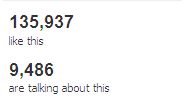
Historically,Facebook displayed the number of fans who had liked a page. However, Facebook News Feed algorithms value fans’ engagement with content over a page’s number of likes. Thus, the new emphasis on fan engagement (“# are talking about this”) should help steer new page admins in the right direction — toward fan engagement.

Facebook Insights will soon show shares by point of origin.
Have you ever wondered how a fan of your page initially became a fan? Fan page Insights will soon tell you whether users’ like originated from your page, your website, etc.

Customizable Open Graph tags will allow admins to customize the like button beyond “like” or “recommend.”
Fans will be able to interact with a brand or organization in more specific ways. Example: “John donated to Your Organization,” rather than “John likes Your Organization.”

Facebook Registration Plugin takes event registration functionality beyond the limitations of Facebook Events.
If you’re in any way involved in event planning, the Registration Plugin could become a viable alternative to custom event registration forms or Eventbrite-like products. Attendees can choose whether to use certain email addresses (e.g., Yahoo, Google) or their Facebook information to register. I’ll be interested to see whether any colleges or universities adopt this functionality for prospective student applications.

I’ll close with a quote from Harbath: “Each Facebook like drives 4 to 5 additional people to visit your page.” And that is exactly why we have to keep the innovation and customized content coming.


On Steve Jobs’ Death

Last night, as I scanned Twitter on our iPad, one tweet piqued my curiosity. It said “You will be missed, Steve Jobs.” At first, I thought someone was just lamenting his departure from Apple. But as I scanned the stream of tweets, I soon realized that the Apple co-founder had died. It’s not every day that you learn about someone’s death on a device he or she had invented.

I’m sure we’ll be seeing more and more multimedia content that pays tribute to Jobs over the next few days, but these two homepage tributes (from Apple and Wired) stood out to me as elegant approaches to announcing Jobs’ death.

What multimedia content or approaches have you seen that do justice to Jobs’ extraordinary life?

Thinking Like a Designer (or Communicator)

Designers need to communicate well and problem solve for systems and strategy. Communicators need to think visually.

Ever since I made the jump from graphic design to communications, I’ve noticed that the best designers have a lot to say about communicating successfully. On the other side of the coin, successful communicators think visually — much like designers.

The successful designer thinks about how a project fits within the framework of the larger organizational brand and supports the way the institution or company speaks — its written voice. It’s easy to start each project in a vacuum and go with the most creative solution possible. But it’s much more effective to look for a creative solution that conforms to the constraints of the existing brand.

The successful communicator considers how to share important information through a variety of interlaced channels, and targets each audience appropriately. That could mean short, direct approaches (bullet points!) online and detailed, targeted approaches offline. The easy approach here would be to re-purpose content across platforms and hope for the best. But targeted, platform-sensitive solutions are better. In designer speak, “the medium is the message.”

To learn from a designer who thinks like a communicator, visit ideasonideas.
To learn from a communicator who thinks like a designer, visit Less Clutter. Less Noise.